Bytes to TBConverters
Converts bytes to terabytes (TB) and tebibytes (TiB).
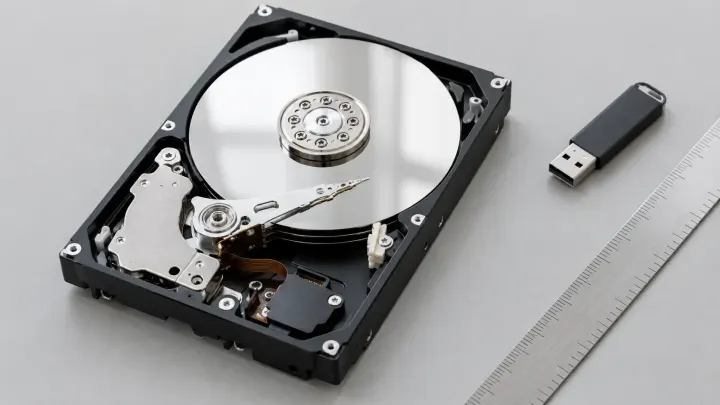
A new 1 TB drive shows about 931 GB in Windows, and nothing is missing. The label counts in powers of 1,000 and the computer divides by 1,024. Convert one to the other and check file sizes in bytes.
Drive makers and macOS use decimal units. A kilobyte is 1,000 bytes, a megabyte is 1,000,000 bytes, and a terabyte is 10^12 bytes. Windows and RAM use binary units, powers of 1,024. A kibibyte (KiB) is 1,024 bytes and a tebibyte (TiB) is 1,024^4 bytes. Windows still writes KB, MB, GB, and TB for those binary values. The binary names were introduced in 1998 to tell the two systems apart, but the old labels stayed.
The gap grows at each step: about 2.4% at the kilo level, about 7.4% at giga, and almost 10% at tera. A drive sold as 1 TB holds exactly 1,000,000,000,000 bytes. Windows divides by 1,024 three times and shows 931 GB, which are really GiB.
| Advertised capacity | Shown in Windows |
|---|---|
| 500 GB | 465 GB |
| 1 TB | 931 GB |
| 2 TB | 1.81 TB |
| 4 TB | 3.63 TB |
| 8 TB | 7.27 TB |
Formatting then takes a small amount more for the file system, so the free space on a new drive is a little below these figures. The same unit gap shows up with files. A 1 GB download is 0.93 GiB, so it looks smaller on disk than on the website. RAM is built in powers of two, so "8 GB" of memory is 8 GiB. A USB stick formatted as FAT32 refuses any single file of 4 GiB or larger, however much free space it shows.
For a drive, use Bytes to TB. Enter the capacity in bytes, for example the figure your disk tool shows, and press Convert. You get TB, the decimal unit on drive labels, with TiB underneath, the unit Windows uses while still writing "TB". 2,000,000,000,000 bytes is 2 TB and 1.818989404 TiB. 1,099,511,627,776 bytes is exactly 1 TiB. The converter does not take off the space the file system uses after formatting.
For a file, a download, or a phone's storage, use Bytes to GB. Enter the size in bytes to get GB and GiB together. 1,000,000,000 bytes is 1 GB and 0.9313225746 GiB. 4,294,967,296 bytes is 4 GiB, which is 2^32 bytes, the most memory a 32-bit system can address. FAT32 caps a single file at one byte less than this. Makers often round the storage figure on the label, so the exact byte count can differ a little.
When the size you have is in another unit, use the Byte Converter. Enter a value and pick its unit: bytes, a decimal unit such as MB, a binary unit such as MiB, or a bit unit such as Mb. It fills a decimal table and a binary table side by side, with bit values underneath, each with its own copy button. 500 GiB is 536,870,912,000 bytes, or 536.870912 GB. The math uses exact decimal arithmetic up to 10^18 bytes, and results show up to 10 significant digits. Binary values are always labeled KiB, MiB, and GiB here, even where your operating system says KB, MB, and GB.
In the SI standard, 1 KB is 1,000 bytes. 1,024 bytes is 1 KiB, a kibibyte. Some operating systems still label KiB as KB, which causes the confusion.
The drive holds 2 times 10^12 bytes. Windows divides by 1,024 four times, which gives about 1.82 TiB, and labels it TB.
RAM is built in powers of two, so 8 GB of RAM is actually 8 GiB.
If the stick is formatted as FAT32, a single file is capped at one byte less than 4 GiB. Free space does not change that limit.
Tools used in this guide
Converts bytes to terabytes (TB) and tebibytes (TiB).
Converts bytes to gigabytes (GB) and gibibytes (GiB).
Converts any data-size unit to all other units at once.