Broken Link CheckerSEO Tools
Fetches one page, checks up to 100 links, and reports broken, redirected, and slow links with status details.
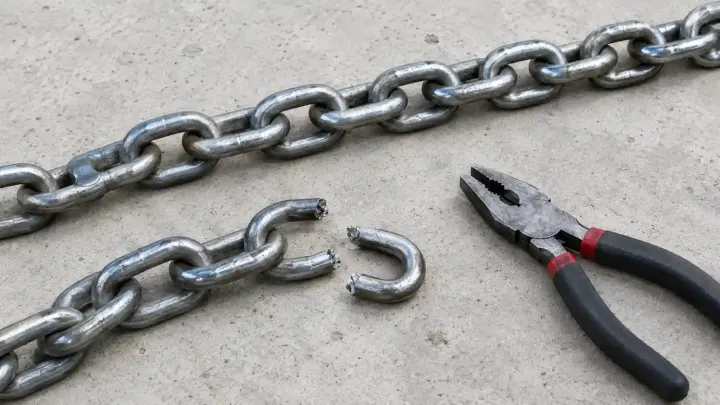
Links break when another site moves a page or your own URLs change. Check a page's links, clean up the internal ones that redirect, and trace any chain that ends in the wrong place.
A link that returns 404 sends the reader to a dead end. Links to other sites break without warning when a partner renames a page or a company closes its blog. Your own links break too, usually after a redesign or a change in URL structure, and the old menus and articles keep pointing at addresses that no longer exist.
Internal links that still work through a redirect are a smaller problem that adds up. Each one costs an extra request before the page loads, and a crawler spends part of its visit following hops your site could skip. Chains are worse: an old URL redirects to a second one that redirects again, and sometimes the last hop lands on a page that is gone.
Run the page through the Broken Link Checker first. It fetches one page, collects the normal links, skips mailto:, tel:, JavaScript links, and same-page fragments, and checks up to 100 unique links in batches of eight. Each link gets a HEAD request, with a GET fallback when the server answers 405 or 403. Anything that returns 4xx, 5xx, a timeout, or a DNS failure is listed as broken, and a redirected link shows both the original and the final URL. It checks that one page, not the whole site, and links added by JavaScript after the page loads are not seen.
Then run the same page through the Internal Link Checker. It keeps only links on your own host, up to 100, and flags the ones that redirect so you can point them at the final URL. The report also lists duplicate links to the same target and shows rel values, which is where a stray nofollow on an internal link turns up.
For a link that redirects somewhere unexpected, paste it into the Redirect Checker. It follows the chain one hop at a time and shows each status code, the next address, and the time, for up to 10 hops. If the chain comes back to a URL it has already seen, it stops and says the chain looped. The chain is what our server receives, so a redirect based on a cookie or a country can look different in your browser.
Enter its URL in the Broken Link Checker. Links that return 4xx or 5xx, time out, or fail DNS are listed as broken.
Not with these tools. They check one page and up to 100 links per run, so start with your most visited pages.
A direct link saves a request for visitors and is simpler for search engines. Point each one at the final URL.
A URL that redirects to another URL that redirects again. The Redirect Checker lists every hop and stops after 10.
Tools used in this guide
Fetches one page, checks up to 100 links, and reports broken, redirected, and slow links with status details.
Checks same-host links from one page and flags redirects, duplicates, status issues, and rel values.
Every redirect hop, with status, Location, and time, up to 10 hops.