Bulk Barcode GeneratorDeveloper Tools
Makes up to 500 barcodes from a list and prints them on label sheets as a PDF.
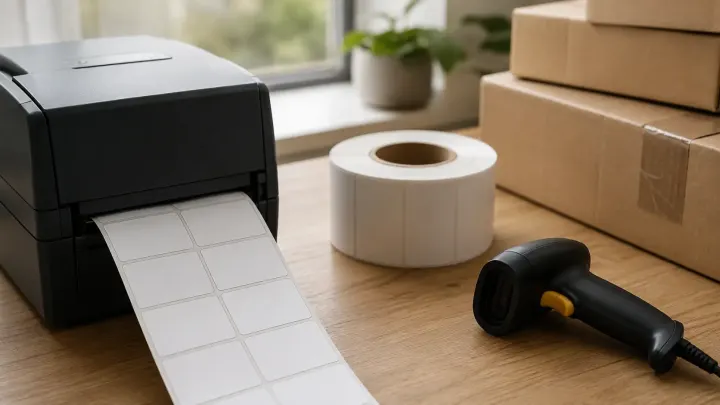
Typing codes into a generator one at a time works for three products, not for three hundred. Turn the whole list into barcodes in one pass, print it on a label sheet, and scan a test page before the full run.
A shop with 300 products, a warehouse with 120 shelf bins, and an office tagging its laptops have the same problem. The codes already sit in a spreadsheet, and someone has to turn each one into a printable barcode. By hand that means 300 downloads, 300 file names, and 300 chances to paste the wrong number.
The mistakes are quiet. An EAN-13 or UPC-A number with one wrong digit still prints as a barcode, but its check digit no longer matches, so a scanner reads it as invalid. A label sheet printed at "fit to page" is shrunk, and by the bottom row the barcodes sit across the cut lines. A long Code 128 value squeezed onto a small label gets bars too thin to scan. Usually nobody notices until the label stock is used up.
Start with the Bulk Barcode Generator. Paste up to 500 codes, one per line, or upload a .txt or .csv file. If you copy two columns from a spreadsheet, the second one is printed as a caption above each barcode, such as a product name. It has 12 formats, from Code 128 for your own SKUs to EAN-13 and UPC-A for retail numbers, and it checks every line. A missing check digit is added. A wrong one is listed with its line number and the digit it should be, and that line stays out of the downloads until you fix it. A sequence filler turns ASSET-0001 to ASSET-0120 into four fields instead of 120 lines. You get a ZIP of PNG or SVG files, or a PDF laid out for A4 and Letter label sheets, with up to 50 copies of each code and 5,000 labels per PDF. It draws numbers; it does not issue retail numbers, which come from GS1.
When the labels should open a web page, use the Bulk QR Code Generator instead. Each line, a link or any text, becomes one QR code, with the same caption column, label sheets, and ZIP downloads. A line too long for a QR code at the chosen error correction level is rejected instead of printed. The codes are static, so what you print can't be changed later.
Before printing hundreds of labels, print one page and check it with the Barcode Scanner. Upload a photo of the test sheet or use the camera on your phone or laptop. It reads EAN, UPC, Code 128, Code 39, ITF, Codabar, and QR, can return several barcodes from one photo, and works out the EAN and UPC check digits again. It reads the number only and does not look up which product it belongs to.
Copy the column from Excel and paste it into the Bulk Barcode Generator, one code per line. A second column is printed as a caption above each barcode.
A4 with 21, 24, or 65 labels, Letter with 30 labels (the Avery 5160 size), or a custom grid on A4 or Letter.
Fit to page shrinks the whole sheet, so the labels drift off the cut lines. Actual size keeps every label where the PDF put it.
Photograph a test page and open it in the Barcode Scanner. It can read several barcodes in one image and checks EAN and UPC check digits.
Tools used in this guide
Makes up to 500 barcodes from a list and prints them on label sheets as a PDF.
Makes up to 500 QR codes from a list and exports a ZIP or a PDF of labels.
Reads EAN, UPC, Code 128, and other barcodes from images or the camera.